Guides · Kreavo Clips
How to Clip GTA 6 Gameplay Into Shorts (2026)
Record your sessions, keep the moments that work on their own, put your facecam on top and the game below, add captions and a hook, and post shorts that stay within Rockstar's and the platforms' rules. Here is the whole workflow, step by step.
What makes a GTA 6 clip work
A short is watched on its own, by someone who never saw the stream. The clips that hold attention have the same shape: something happens in the first second, it builds for a few seconds, and it pays off before the viewer swipes.
- A reaction you can see: the face changes, the voice goes up, someone laughs.
- A clear payoff: the chase ends, the plan works or falls apart, the joke lands.
- No setup needed: if the viewer has to know what happened ten minutes earlier, it is not a short.
- One moment per short. Two good moments in one clip usually make two weaker shorts.
Step 1: capture your gameplay
Release date: November 19, 2026, on PlayStation 5 and Xbox Series X|S. There is no PC version at launch, so your footage comes from a console.
- PS5: the Create button saves what just happened or starts a new recording.
- Xbox Series X|S: the Share button does the same.
- Long sessions: stream them (Twitch, YouTube or Kick) or record them with a capture card, then clip the recording. It is easier to find the moments in one long video than in fifty short files.
- Turn the game music down if you talk over it: captions and your voice matter more than the soundtrack in a short.
Twitch keeps past broadcasts for a limited time, so clip a stream while its VOD is still online.
Step 2: pick the moments
Watching back a three-hour stream to find ten seconds is the slow part. Mark the moments while you play (Twitch lets you add stream markers), or let a tool read the whole video and propose the moments that stand on their own.
Keep shorts between 15 and 60 seconds: long enough for the setup and the payoff, short enough to be watched to the end. Start on the action, not on the walk to it, and stop right after the payoff.
Leave out long cutscenes and story spoilers. A short of you reacting to a mission is yours; a minute of the game's own cinematic is not, and it is the kind of video that gets taken down.
Step 3: choose the layout
A stream is 16:9 and a short is 9:16, so the frame has to change. Three layouts cover almost every GTA 6 clip:
- Facecam + gameplay: your facecam on top, about a third of the height, and the game below it. The usual layout for streams, because the reaction is half of the clip.
- Whole video: the full game frame in the middle, over a blurred copy of itself. Use it when the action is spread across the screen and cropping would cut it.
- Auto: the frame follows the person who is speaking. Best for talking parts, duos or a podcast filmed while you play.
In the facecam layout, crop the game around where the action is (often the center, where your character is) and keep the HUD out of the caption area.
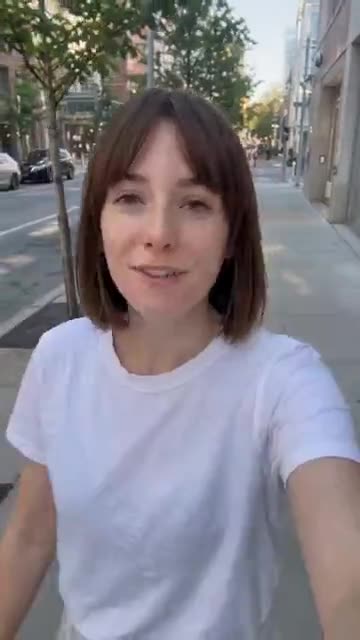 Nobody tells you this part
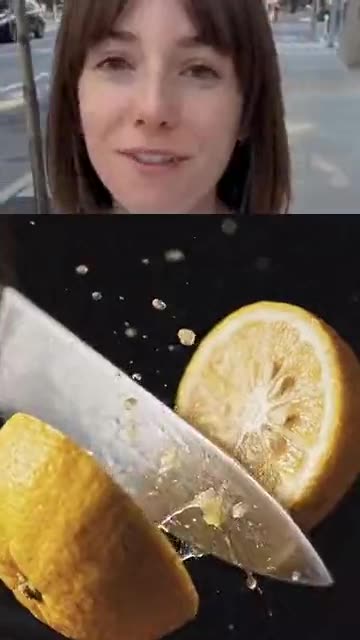 Wait for the end
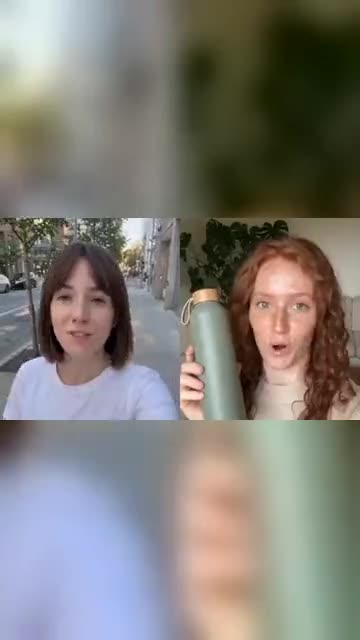 The moment it clicked
Step 4: add captions and a hook
Many people watch with the sound off. Big captions, word by word, keep them watching, and they make your voice part of the clip instead of background noise.
- Put the captions between the facecam and the game, or on the lower third of the game, never over the minimap or the action.
- Add a short hook on top for the first seconds: what the viewer is about to see, in a few words.
- Write hooks from what really happens. No invented numbers, no "you won't believe" on a clip that does not deliver.
Step 5: post within the rules
Rockstar's policy
Rockstar's policy on posting copyrighted Rockstar Games material lets players share videos of its games, within limits: it does not cover advertising or other commercial uses of the games, and Rockstar can remove videos at any time; leaked material and long story spoilers are the usual targets. Read the policy before you monetize a channel built on GTA footage.
Platform rules
YouTube does not monetize reused content that adds nothing of its own, and TikTok's Creator Rewards Program counts original videos only. Your commentary, your reactions, the cut, the captions and the hook are what make a clip yours; a raw re-upload of someone else's stream is not.
Clipping campaigns
Clipping campaigns pay per view. Results vary. Each campaign sets its own rules on watermarks, length, captions and hashtags: read them before you post, and only clip the streams the campaign gives you permission to clip.
Do it with Kreavo Clips
Kreavo Clips does steps 2 to 4 for you. Paste the link of a stream you made or have permission to clip (a Twitch or Kick VOD, a YouTube video) or upload the recording, pick Facecam + gameplay, and get up to 20 shorts with animated captions and a hook, ranked by potential.
- 5 credits per minute of video, 25 credits minimum: 300 credits for a 1-hour stream, shown before you start.
- Videos up to 10 hours, long stream VODs included: pick the part of up to 2 hours you want clipped, and pay for that part only. Shorts of 15 seconds to 3 minutes (15 to 60 seconds on Auto), no watermark, with or without text, all in one ZIP.
- Credits come back automatically if the job fails, and for every short that fails.
- For 6 days after you start a job, you can move the start or the end of any short by up to 60 seconds, fix a word of its captions or change its layout, then render it again: 3 new renders per short, free.
- Included with every paid Kreavo plan and with the $1 video trial (3 days, 200 credits: up to 40 minutes of video).
Everything Kreavo Clips does, with every price: Kreavo Clips, long videos into shorts.
GTA and Grand Theft Auto are trademarks of Take-Two Interactive. Kreavo is not affiliated with or endorsed by Rockstar Games or Take-Two.
Questions
Can I post GTA 6 clips on YouTube and TikTok?
Yes. Rockstar's policy lets players share gameplay videos, it does not cover advertising, and Rockstar can remove any video. Leave out leaks and long story spoilers, add something of your own (commentary, reactions, captions), and follow each platform's rules on reused content.
What is the best layout for GTA 6 clips?
For streams, facecam on top (about a third of the height) and the game below. Without a facecam, the whole frame over a blurred background keeps all the action. For talking parts, a frame that follows the speaker.
How long should a GTA 6 short be?
Between 15 and 60 seconds: start on the action, keep the setup short, and stop right after the payoff. TikTok's Creator Rewards Program only counts videos over one minute: for those, pick 60-90 seconds in Kreavo Clips.
Do clipping campaigns pay for GTA 6 clips?
Clipping campaigns pay per view. Results vary. Each campaign has its own rules on length, captions, watermarks and hashtags, and only covers the streams it gives you permission to clip.
Can I clip another streamer's GTA 6 stream?
Only with their permission, for example through a clipping campaign they run. Kreavo Clips asks you to confirm it before every job.
Is Kreavo affiliated with Rockstar Games?
GTA and Grand Theft Auto are trademarks of Take-Two Interactive. Kreavo is not affiliated with or endorsed by Rockstar Games or Take-Two.
Clip your streams
Included with every paid plan and the $1 video trial. Paste a VOD link, pick Facecam + gameplay, get ranked shorts with captions.
Start